Software Internationalization Checklist: 5 Essential Checks Before Localization
Preparing software for international markets involves more than translating its interface. Before localization begins, product and engineering teams need to ensure that their software can accommodate different languages, writing systems, and regional conventions without compromising functionality or user experience.
This is where software internationalization (i18n) comes in. By addressing potential issues with text strings, formatting, encoding, and interface layouts early in development, organizations can reduce localization costs, avoid unnecessary rework, and support more efficient multilingual product releases.
This practical software internationalization checklist outlines five essential checks to assess localization readiness, including what to verify, the evidence to collect, and the teams responsible. It helps identify potential issues before translation begins and provides a starting point for a more reliable localization process.
What changes when internationalization comes first
Rework: early fixes cost less
A hard-coded label or rigid layout is cheapest to fix before translation. Once localized builds exist, a source change may also require updates to resource files, translation memories, screenshots, QA scripts, and locale-specific tests. Internationalization does not eliminate rework, but it prevents the same class of defect from multiplying across releases.
Translation quality, human and machine, starts in the source strings
Translators and AI engines can only work with the strings they receive. When sentences are assembled from fragments, a label lacks context, or a message ignores plural rules, human linguists are left guessing and machine translation engines generate fluent hallucinations. If source strings are fragmented or lack context, neither human translators nor automated systems can reliably infer the intended grammar and meaning. Well-structured, contextualized source content is essential for effective localization workflows, whether translation is performed by professional linguists, AI-powered systems, or a combination of both. It also supports more reliable quality assurance, including human review and linguistic and functional testing.
How to check readiness before the first translation
A five-point readiness audit
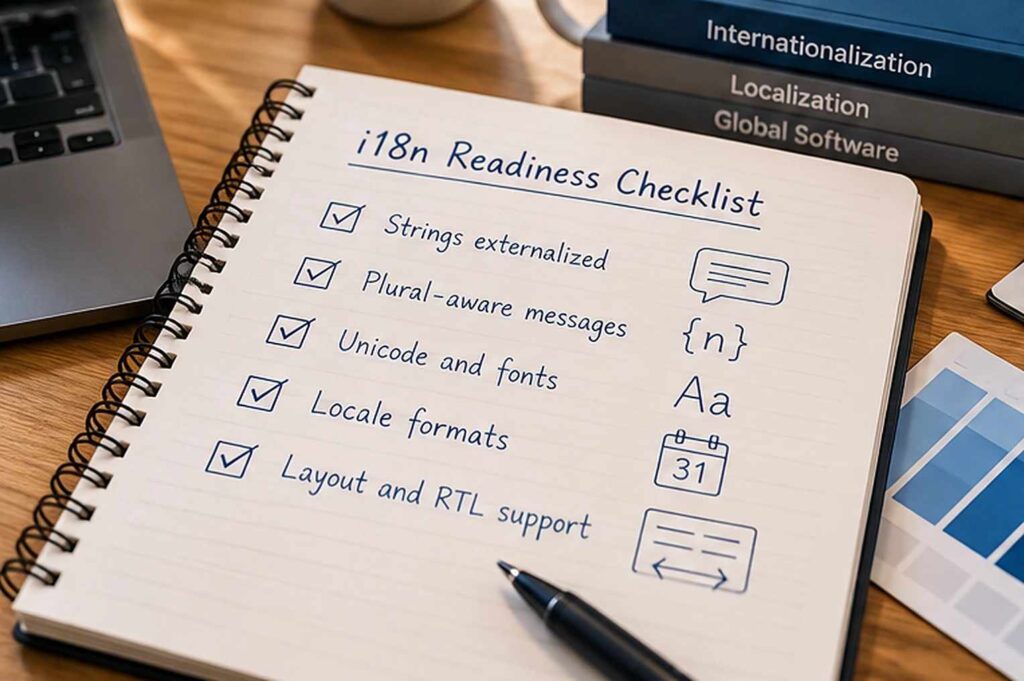
Run these five checks on a representative build and keep the evidence for each one; a single named owner should decide when the checklist is complete.
| Check | What to verify | Evidence to collect | Suggested owner |
| 1. Strings | Every user-facing string lives in resource files, not in code | A code scan showing resource-file coverage | Engineering |
| 2. Messages | Messages are complete sentences with placeholders and plural-aware patterns, never assembled from fragments | A review of messages against plural rules | Engineering and localization |
| 3. Unicode and fonts | UTF-8 is used from database to interface, with fonts that cover the target scripts | Test strings rendered in every target script | Engineering |
| 4. Locale formats | Dates, numbers, currencies, and sorting come from locale libraries | The same screen captured in several locales | Engineering and QA |
| 5. Layout | Layouts survive longer text and right-to-left display | A pseudo-localized build and right-to-left screenshots | Design and QA |
Pseudo-localization as a pre-flight test
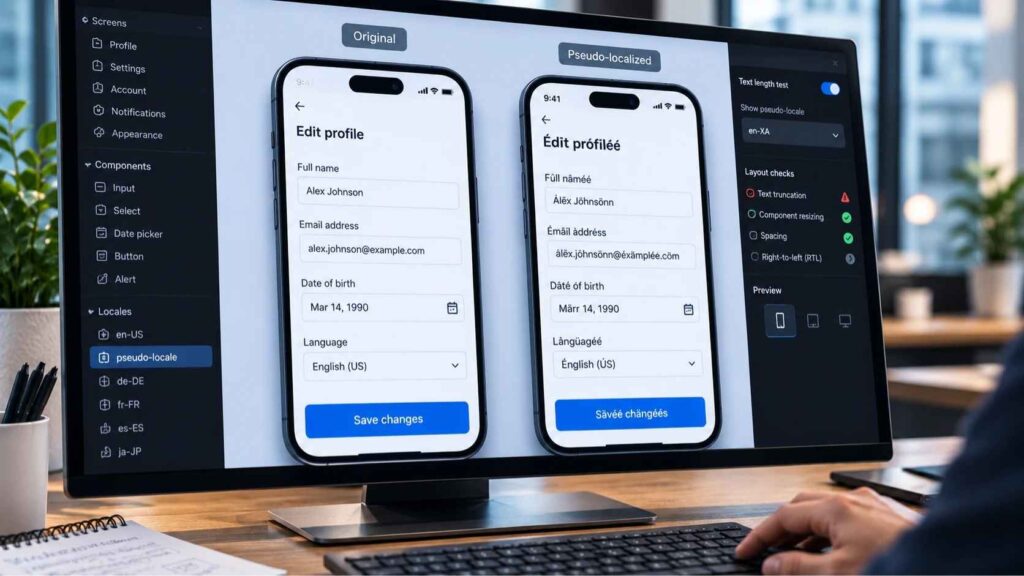
Pseudo-localization replaces source text with accented, lengthened characters, so that “Save” appears as “[Šàvéé]”. Text that stays in plain English is hard-coded, strings that are cut off signal layout risk, and garbled characters point to encoding problems. Published pseudolocalization guidance describes it as a way to verify that a product is localizable before translation begins. The test is automated and needs no translator; it reveals many localizability defects early, but it does not replace linguistic and functional testing of the translated product.
What breaks when a product is not internationalized
Hard-coded strings, concatenation, and plurals
Text embedded in code cannot be extracted for translation, and sentences built by joining fragments assume English word order. Plurals add another layer: in the Unicode CLDR cardinal rules, English uses two categories, Russian four, and Arabic six. Those categories are grammatical rules, not merely singular-versus-plural labels, so a counter such as “2 files selected” needs a pattern that each language can complete with its own forms.
Dates, numbers, currencies, and sorting
Formats vary by locale: the order of day and month, the decimal separator, the position of the currency symbol, even the first day of the week. Sorting varies too; in Swedish, for example, the letters å, ä, and ö come after z. Standard locale libraries encode these rules, whereas hand-written formatting code seldom does.
Text expansion, right-to-left scripts, and fonts
English is exceptionally concise. For UI elements of ten characters or fewer (such as button labels), IBM guidelines cited by the W3C show that translations frequently expand by 200% to 300%. Without responsive containers and dynamic auto-layout, buttons truncate, navigation breaks, and text overflows
Interfaces for right-to-left scripts such as Arabic and Hebrew need bidirectional-text support: navigation, directional icons, and component order may need mirroring, while logos, media controls, charts, and other elements may not, so mirroring should follow platform and locale conventions. Every target script also needs a font with the right glyphs, and truncated buttons or overlapping elements are what testing finds when a layout was built around English alone.
When localization has already started: a retrofit path
Many teams discover the problem after the first release, and the way out is a sequence rather than a rewrite:
- Triage defects by their effect on meaning: concatenation, plural errors, and missing context first, cosmetic layout issues second.
- Externalize and restructure the affected strings, keeping stable identifiers so that existing translation memory matches survive.
- Retranslate only the segments that changed, and run a pseudo-localized build to confirm that nothing else is hard-coded.
- Retest the highest-volume languages first, then roll the fixes out to the rest.
What to look for in a software localization partner
Internationalization is an engineering task, yet the partner who receives your strings determines how many of its gaps surface in production. Look for localization engineering that can handle tags and code, functional and linguistic testing, and a willingness to review your process before the first project begins. Since 1989, we have supported multilingual products as a Language Intelligence Partner through software localization, localization engineering, and linguistic and functional testing, and our language consulting services can review translation processes and language technology before the first string is sent.
What product and engineering teams ask about internationalization
How early should internationalization start in a new product?
At the architecture stage, before the first interface text is written, even if only one language ships at launch. The effort is small when it is part of normal design decisions, and it grows with every screen built on English-only assumptions.
Can we localize first and internationalize later?
It is possible, and some teams do it with a single target market, but the first localization project then doubles as an internationalization project. The retrofit path above limits the damage; the cheaper course is to externalize strings, adopt UTF-8, and avoid concatenation from the start.
Does AI translation reduce the need for internationalization?
No: AI translation can translate software content, but it cannot resolve underlying internationalization issues such as hard-coded strings, fragmented messages, incompatible formats, or interface layouts that do not accommodate different languages.
Seprotec AI solutions support software translation workflows by combining AI-powered translation with human review where appropriate. However, even the most advanced translation technology depends on properly structured and contextualized source content. Internationalization must therefore be addressed at the software development level, regardless of the translation approach used.
Who should own internationalization in a product organization?
Engineering implements it, product defines the target locales and requirements, and the localization team reviews and tests the results. One designated owner should enforce the i18n “definition of done”—ensuring no pull requests contain hard-coded UI strings and requiring a clean pseudo-localized build before any release merges to production.
What is an example of internationalization?
Storing every message in a resource file with placeholders, and formatting prices from a number and a locale instead of typing symbols into the text, so that one checkout page can display $1,234.50 in the United States and 1.234,50 € in Germany without code changes. The five-point audit checklist above covers additional technical examples.
If you are preparing a product for new markets, contact us to review your readiness before the first translation begins.
Transparency Notice
Artificial intelligence tools may be used to support the creation of some of the content published on this blog. All content is reviewed, adapted, verified, and approved by the Seprotec team, which assumes editorial responsibility for its publication.



There are no comments
Leave a comment